


Install guide
Connect Evidence to Cursor
Evidence is an MCP server: once it is added, Cursor can search and query public datasets while it answers you. It takes about two minutes and one Google sign-in.
Before you start
- Cursor, the desktop app. The same ~/.cursor/mcp.json also sets up the Cursor CLI (cursor-agent).
Cursor
For Cursor's agent chat, in the editor or the agents window.
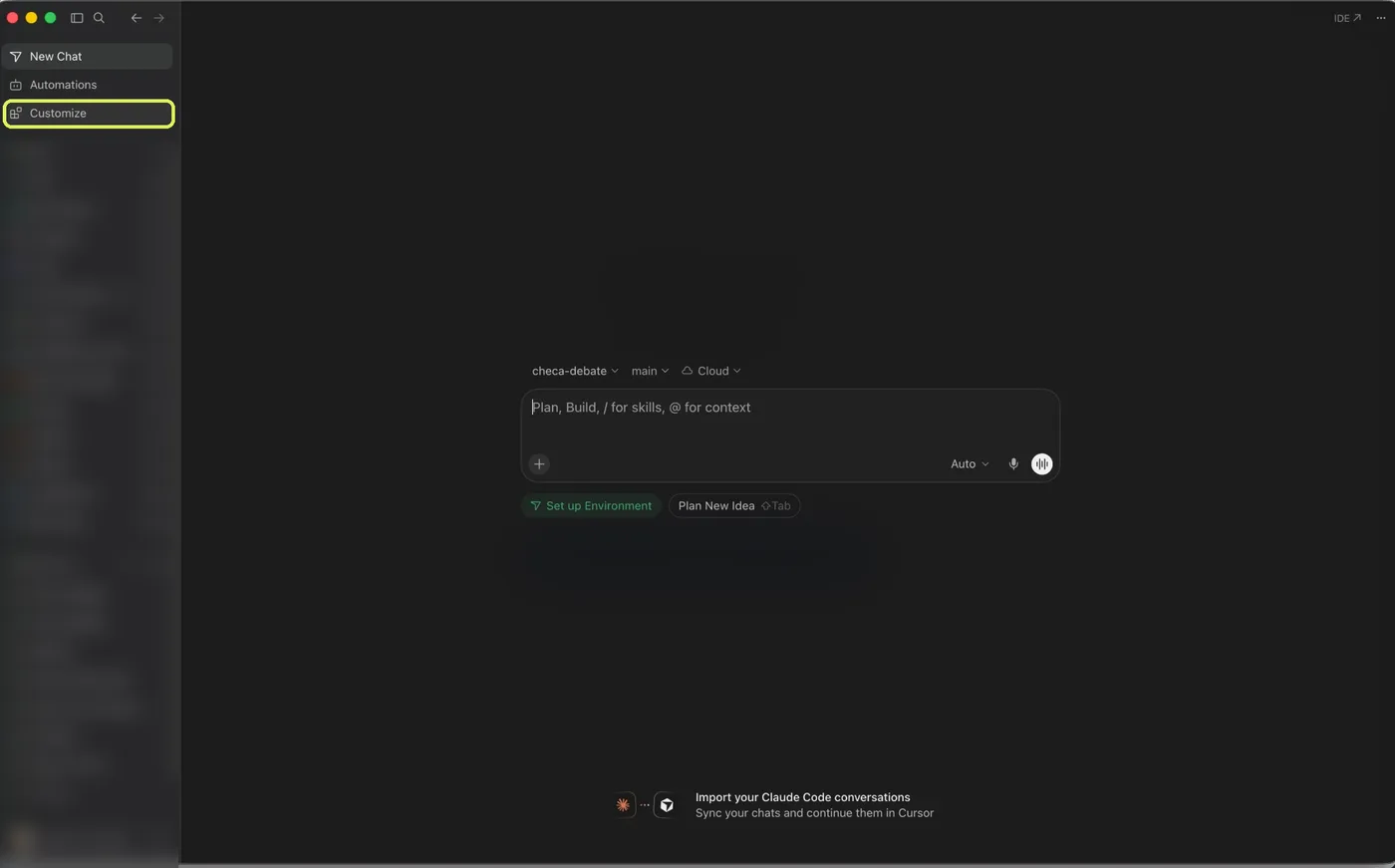
In Cursor, click Customize in the sidebar.
Older versions keep this in Cursor Settings, under Tools & MCP.
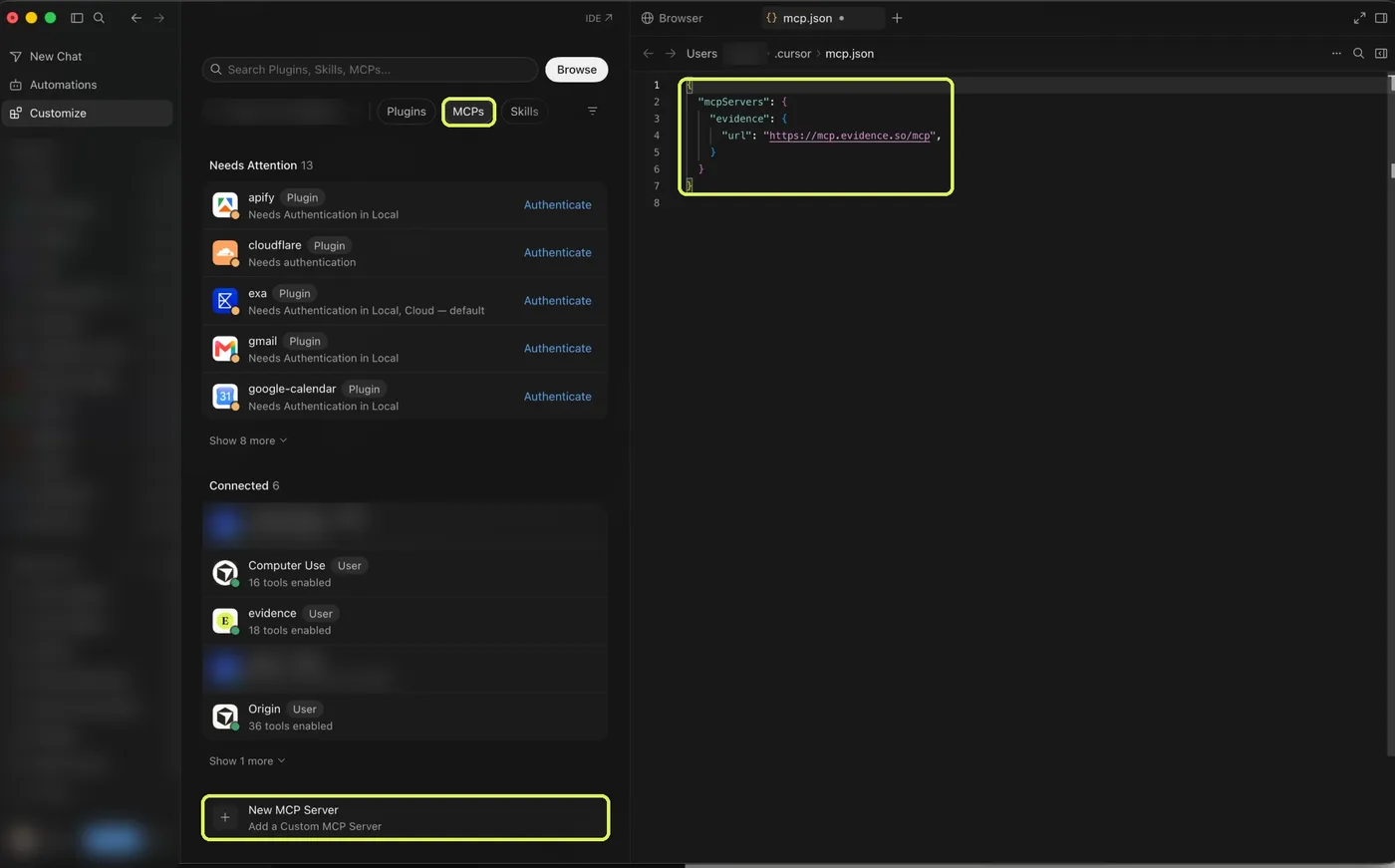
Open the MCPs tab and click New MCP Server at the bottom. Cursor opens ~/.cursor/mcp.json.
Add Evidence under mcpServers and save the file:
{
  "mcpServers": {
    "evidence": {
      "url": "https://mcp.evidence.so/mcp"
    }
  }
}
If the file already lists other servers, add only the "evidence" entry inside mcpServers.
OptionalOr skip the file: this button fills it in for you.
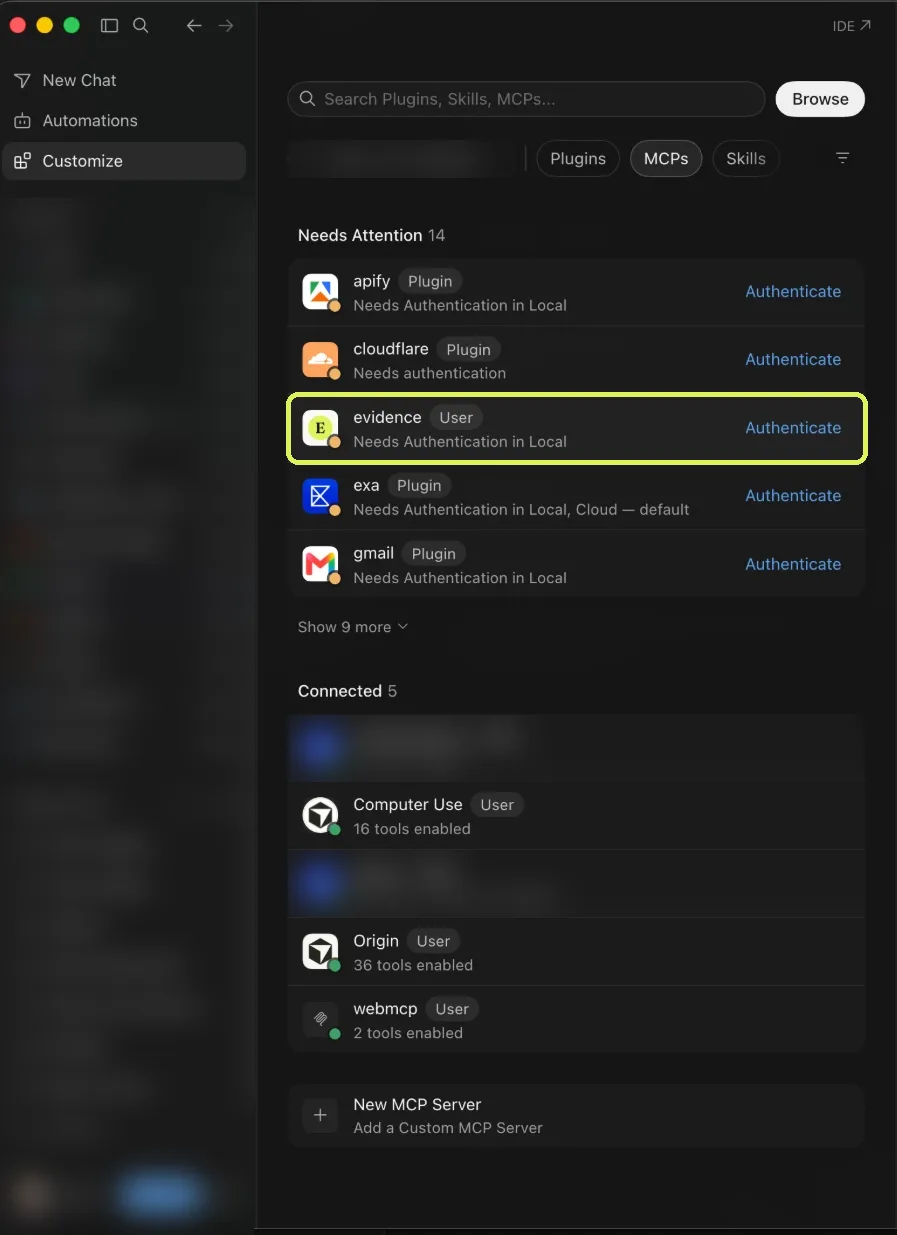
Add Evidence to CursorEvidence shows up under Needs Attention. Click Authenticate, then Continue with Google and Approve in the browser.
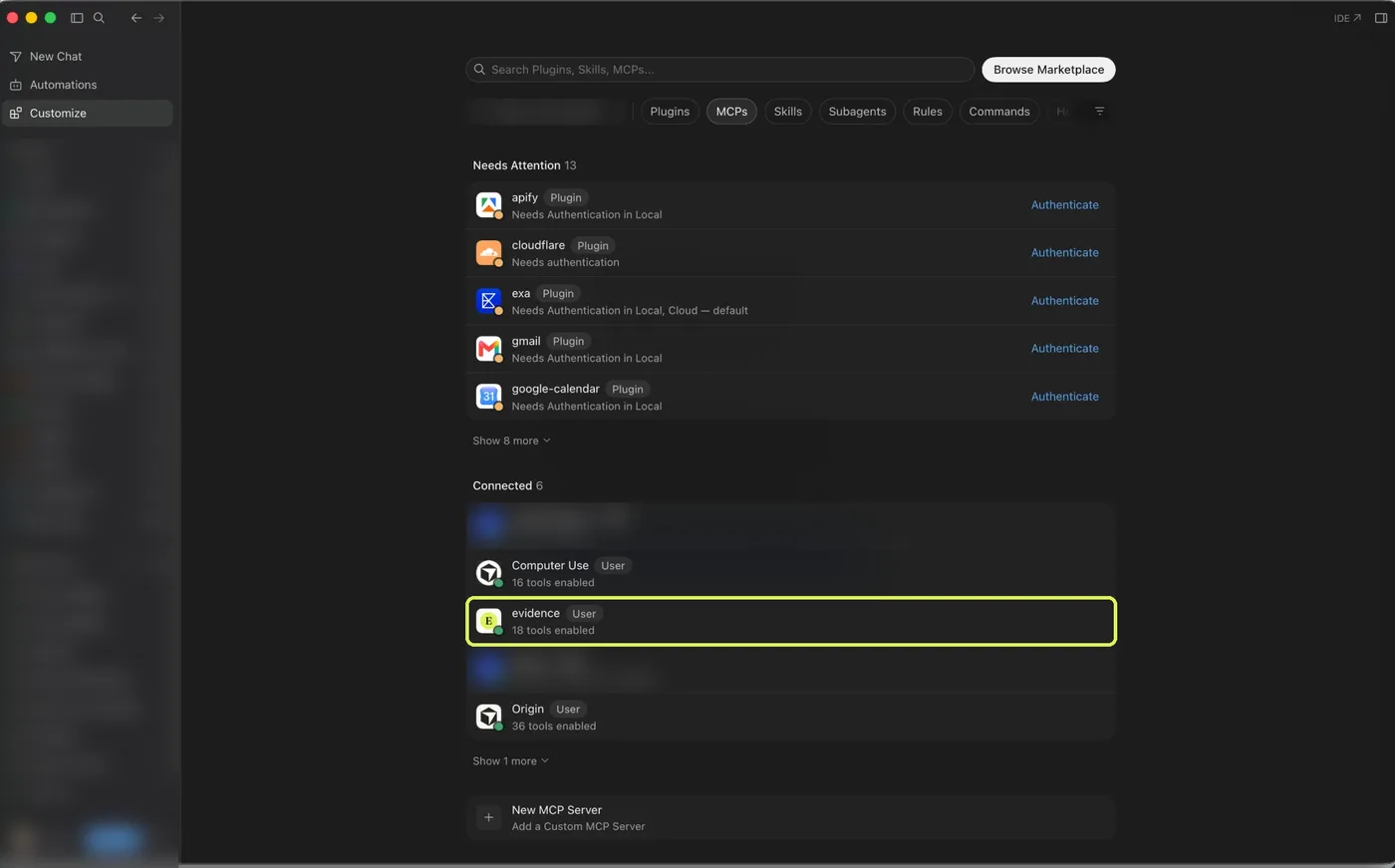
Evidence moves to Connected, with its tools enabled.
Start a New Chat and paste your first question. When Cursor asks to run an Evidence tool, allow it.
Use Evidence to bring me value: ask me what I'm working on, then answer one question about it with real data and show where the numbers come from.
Cursor CLI
For cursor-agent in your terminal. It reads the same ~/.cursor/mcp.json.
Add the config above to ~/.cursor/mcp.json, then sign in. Your browser opens Evidence: click Continue with Google, then Approve.
cursor-agent mcp login evidenceCheck it: evidence should be listed as ready.
cursor-agent mcp listStart cursor-agent and paste your first question.
Use Evidence to bring me value: ask me what I'm working on, then answer one question about it with real data and show where the numbers come from.
If something goes wrong
- The Add Evidence to Cursor button does nothing
- Your browser may block cursor:// links, or Cursor isn't installed. Add the config to ~/.cursor/mcp.json by hand instead.
- cursor-agent says evidence is not loaded (needs approval)
- Servers in a project's .cursor/mcp.json need approval once: run cursor-agent mcp enable evidence.
- A tool call says to sign in to accept the privacy policy
- Open the link in the reply, sign in once, then ask again.