


Install guide
Connect Evidence to Gemini
Evidence is an MCP server: once it is added, Gemini can search and query public datasets while it answers you. It takes about two minutes and one Google sign-in.
Before you start
- A Google account. The screenshots below were taken on a free account.
- For the terminal: Gemini CLI, which needs Node.js 20 or newer (npm install -g @google/gemini-cli).
Gemini app
For chatting with Gemini at gemini.google.com.
Open gemini.google.com and click Customize in the sidebar.
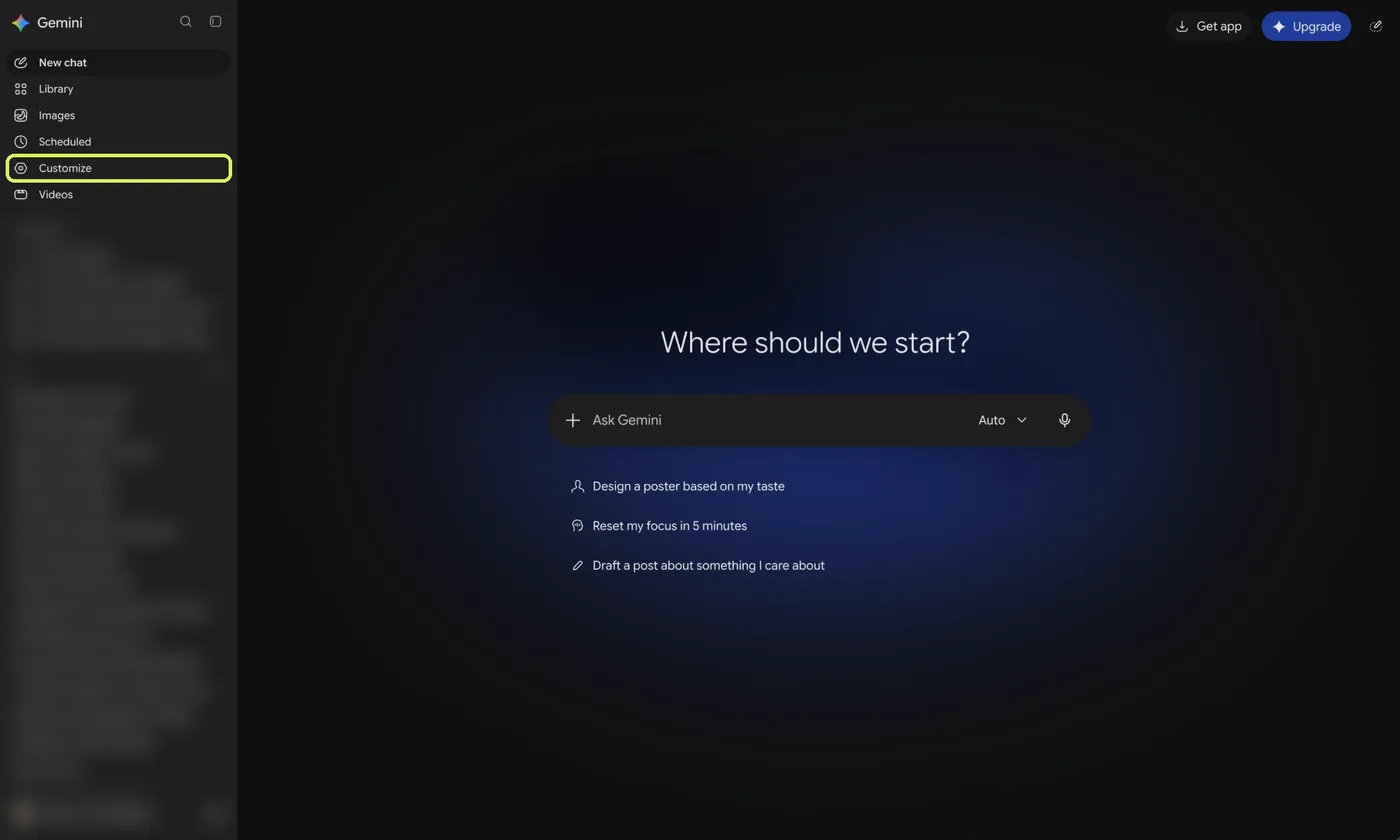
Open the Connectors tab and click + Custom.
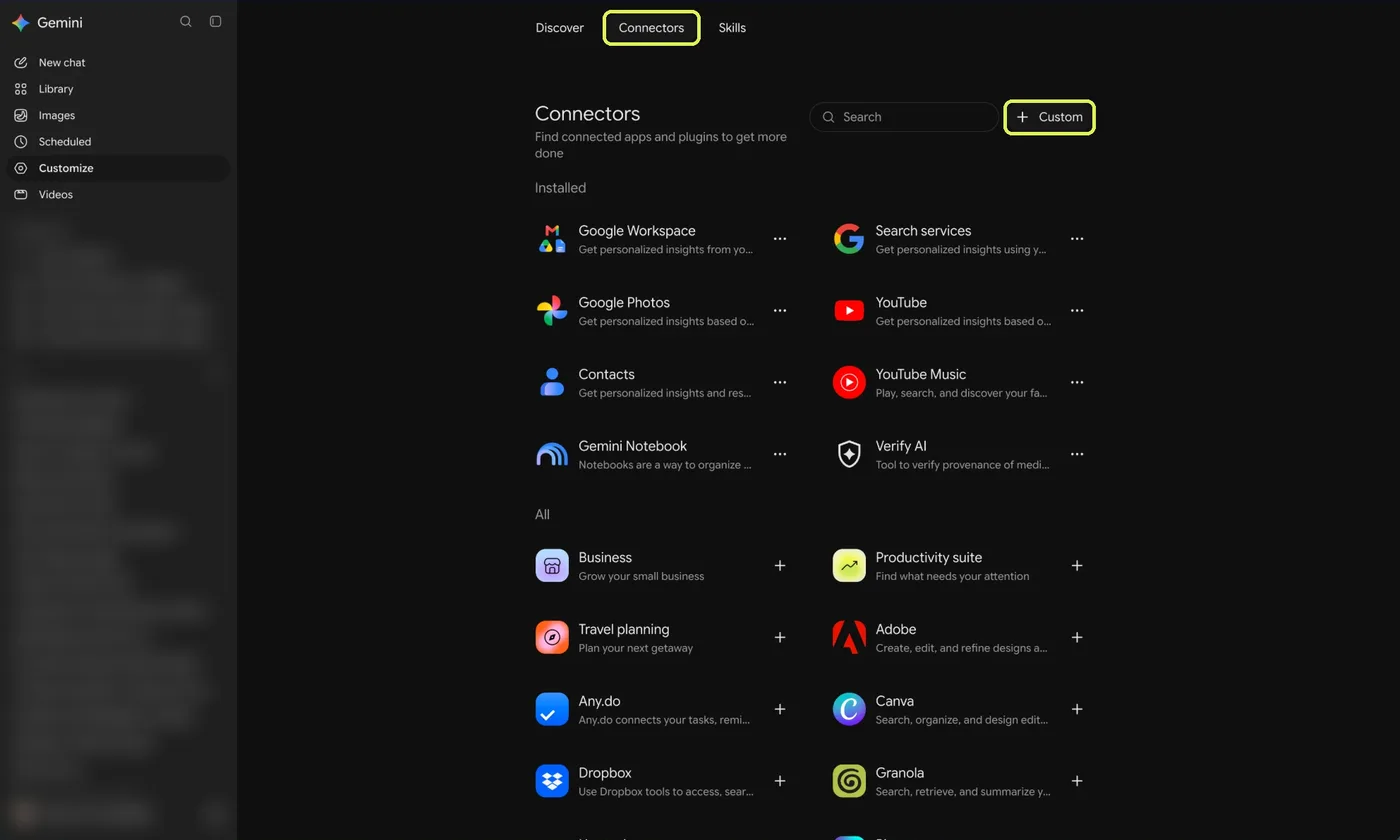
Paste this as the MCP Server URL and click Next:
https://mcp.evidence.so/mcp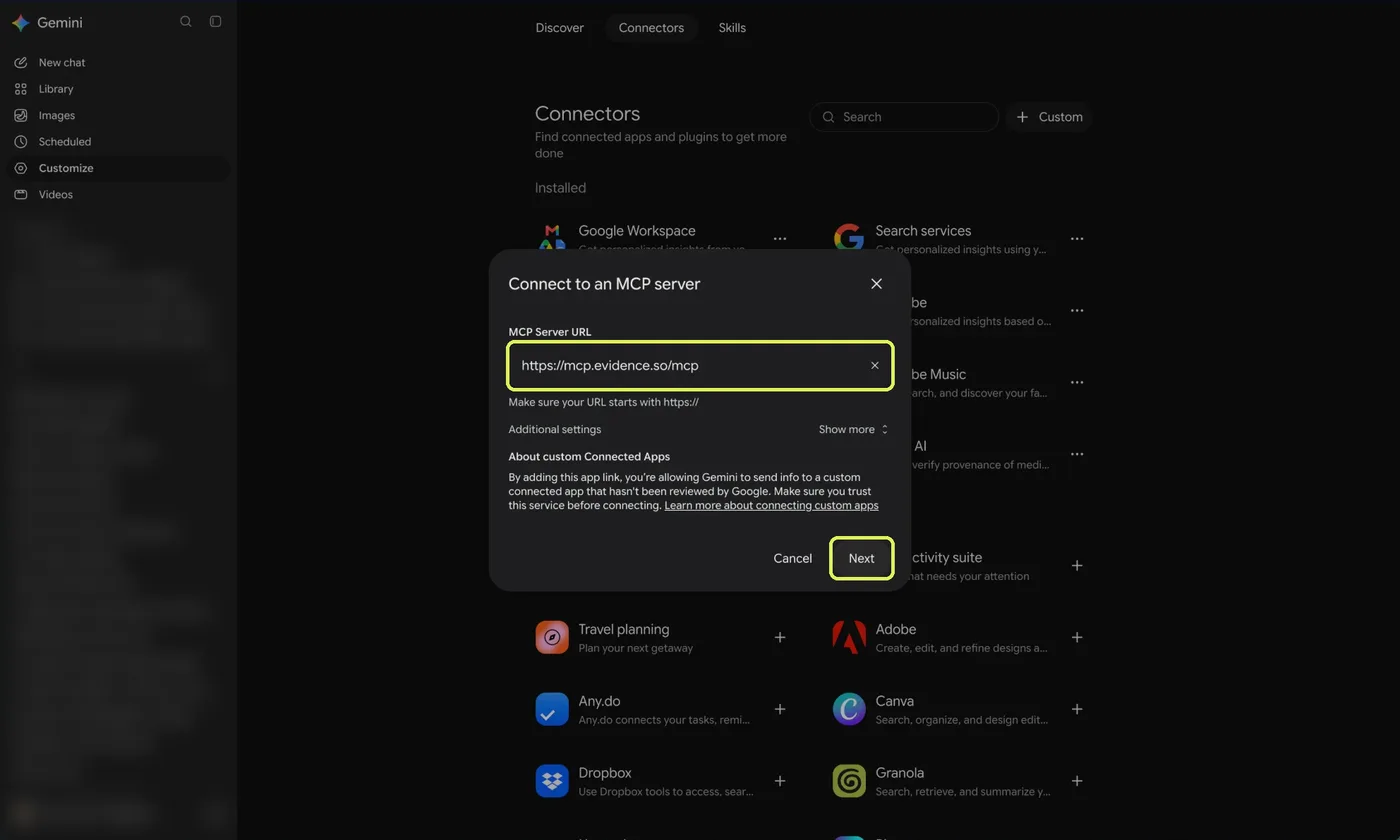
Tick “I understand and accept the security and privacy risks…” and click Connect.
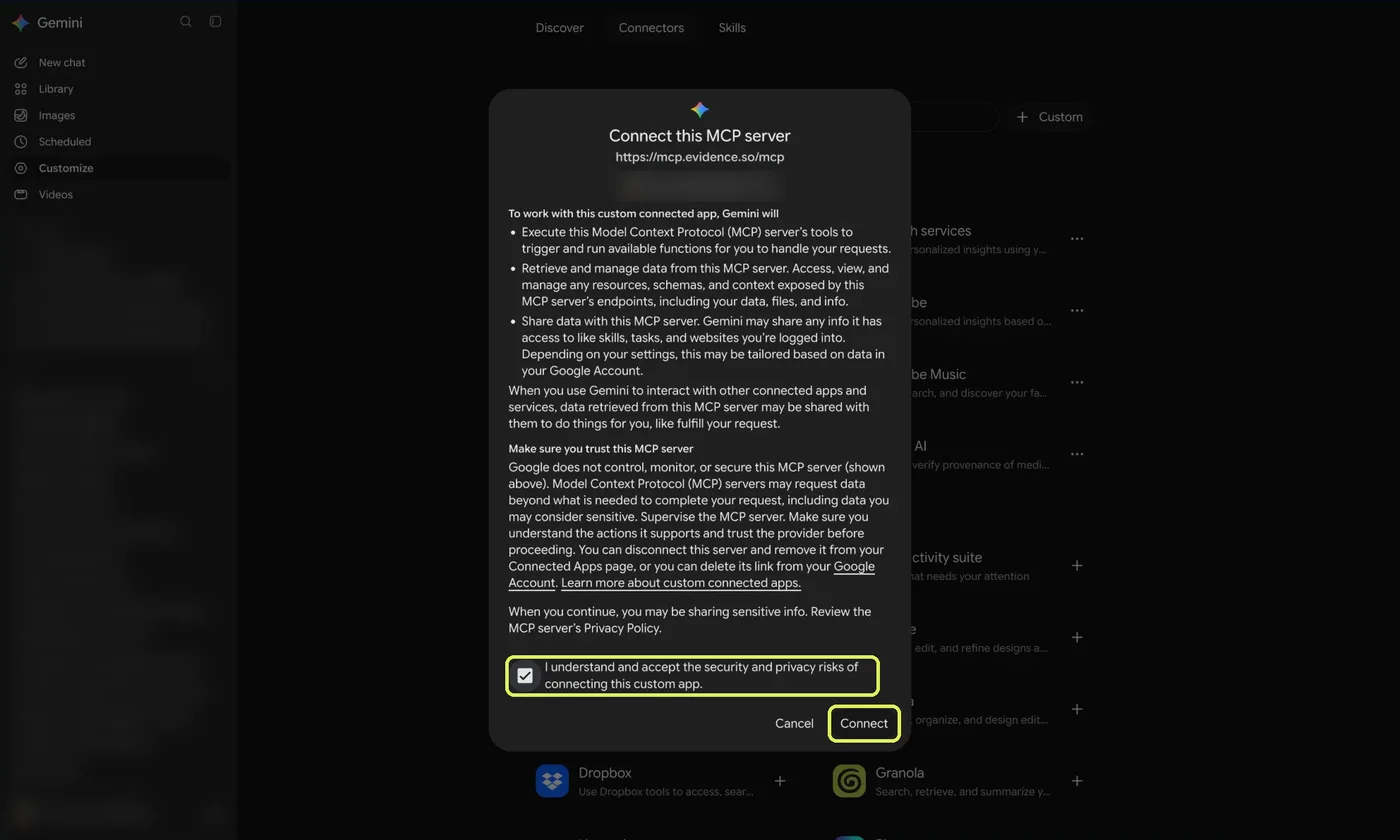
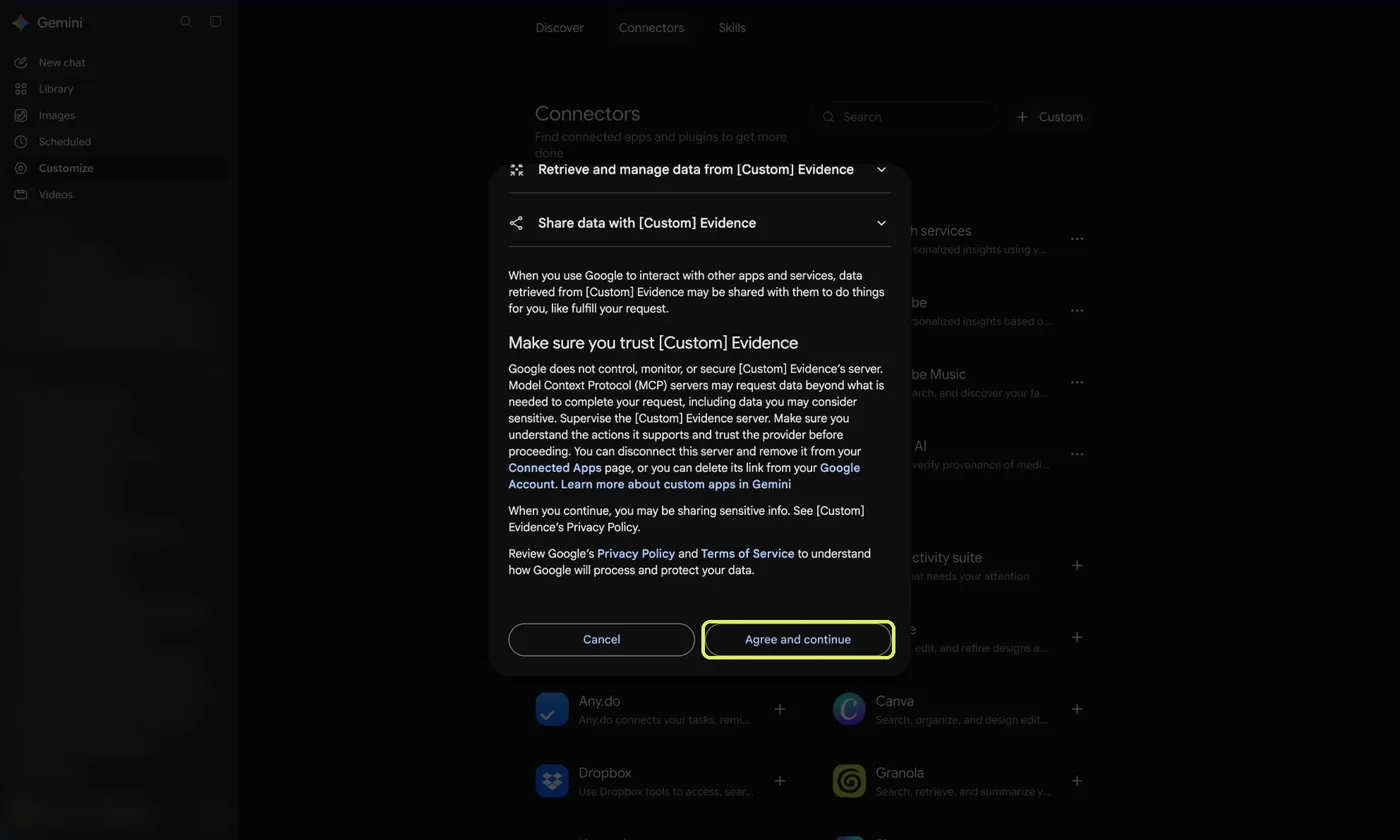
Google asks to link your account with Evidence. Scroll down and click Agree and continue, then sign in with Google if Evidence asks.
Start a new chat and paste your first question.
Use Evidence to bring me value: ask me what I'm working on, then answer one question about it with real data and show where the numbers come from.
Gemini CLI
For Gemini in your terminal.
Run this in a terminal to add Evidence for all your folders:
gemini mcp add --transport http -s user evidence https://mcp.evidence.so/mcpStart Gemini CLI in the folder you work in. When it asks “Do you trust the files in this folder?”, choose Trust folder.
geminiGemini CLI turns off every MCP server, Evidence included, in folders you haven't trusted.
Inside Gemini, run this and sign in with Google when the browser opens:
/mcp auth evidenceCheck it's connected: /mcp should list evidence with its tools. Then paste your first question.
Use Evidence to bring me value: ask me what I'm working on, then answer one question about it with real data and show where the numbers come from.
If something goes wrong
- Gemini CLI: gemini mcp list shows evidence as Disabled
- The folder isn't trusted. Start gemini in that folder and choose Trust folder when it asks.
- Gemini CLI: /mcp shows evidence as disconnected
- Run /mcp auth evidence again and finish the Google sign-in in the browser.
- I don't see + Custom under Customize, then Connectors
- Custom connectors may not have reached every account or country yet. Use Gemini CLI below in the meantime.
- A tool call says to sign in to accept the privacy policy
- Open the link in the reply, sign in once, then ask again.